Intro to PDFgear
PDFgear for iOS is a free and comprehensive PDF editor and reader built for iPhone and iPad. It offers a complete toolkit for handling PDFs — read, edit, fill forms, convert files, organize pages, compress PDFs, etc.
There are no watermarks, limits, or hidden fees. PDFgear works smoothly for students, professionals, and anyone who needs to work with PDFs.
It also includes an AI assistant that lets you chat with a PDF to summarize files, find details, or get quick answers.
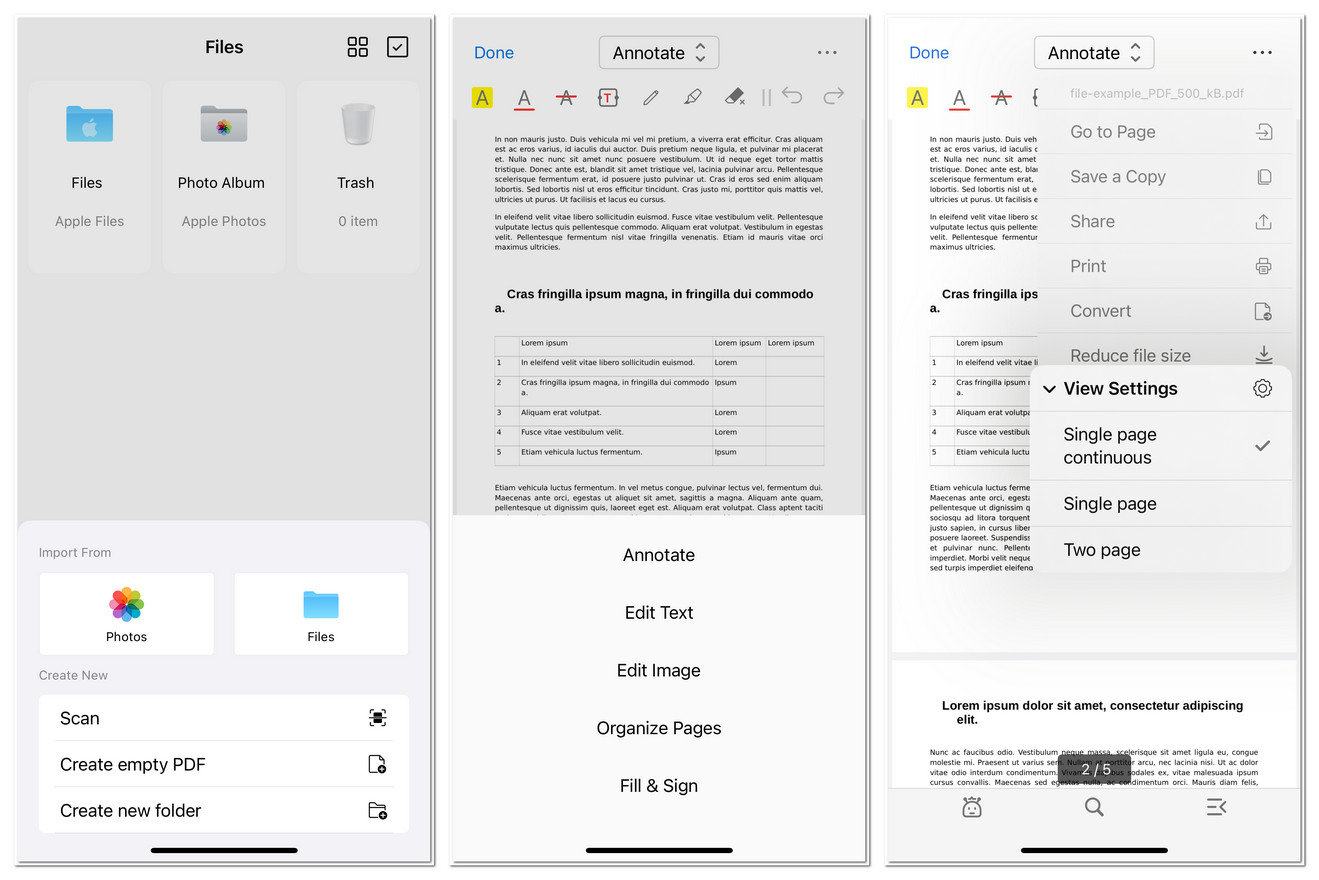
PDFgear for iOS Interface
Key Features
- Create PDF: Generate blank PDFs or create documents from images and scans.
- Open and View PDFs: Import files from your device or cloud storage and read with smooth zoom and scroll controls.
- Navigate PDF: Use page thumbnails, bookmarks, or search to jump to the right section quickly.
- Chat with PDF: Interact with your document in natural language for summaries, highlights, or Q&A.
- Search in PDF: Locate words or phrases instantly with the built-in search tool.
- Add Bookmarks: Save important pages for quick access later.
- Annotate PDFs: Highlight, underline, strikethrough, add comments, shapes, or draw freehand.
- Edit Text in PDFs: Add, delete, or modify text directly in your PDF files.
- Edit Images in PDFs: Insert, resize, move, replace, or delete images within documents.
- Organize Pages: Reorder, rotate, add, delete, or extract pages.
- Fill and Sign Forms: Easily fill out, add checkmarks, stamps, and signatures to forms.
- Convert PDFs: Turn PDFs into Word, Excel, PowerPoint, images, and vice versa.
- Compress PDFs: Reduce PDF file size without quality loss.
- Print PDFs: Print PDFs from your iPhone or iPad.
- Manage Files: Rename, copy, move, or share documents in PDFgear.