Navigate in PDF
Navigating a PDF in PDFgear on iPad or iPhone is simple and intuitive. You can quickly open files, move between pages, zoom in for details, or jump to a specific page in just a few taps.
- In the Files tab, tap a PDF thumbnail to open it instantly.
- Swipe up and down to move between pages.
- Pinch to zoom in or out for a closer look or a full-page overview.
- To jump to a page, tap the three-dot menu, select Go to Page, enter the page number, and tap OK.
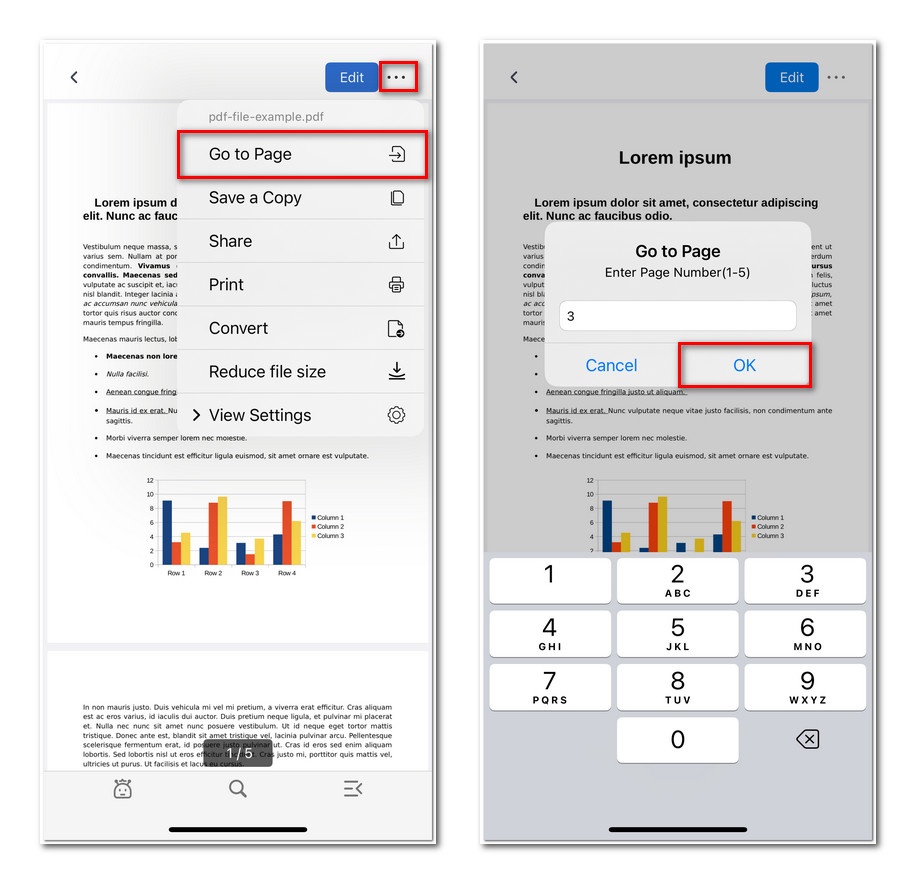
Jump to Specific Page in PDFgear for iOS