Organize Pages
Managing pages in your PDF is simple on iPhone and iPad. Whether you need to reorder, rotate, add, or delete pages, PDFgear gives you full control to keep your document exactly the way you want.
- Import and open a PDF file in PDFgear. Tap the Edit button in the top-right corner.
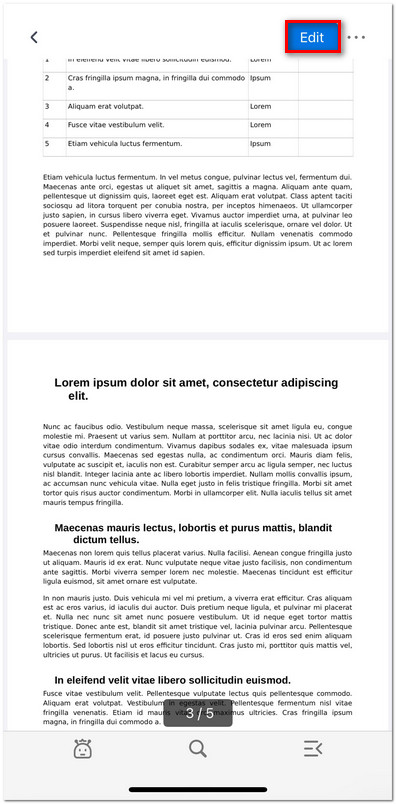
Click to Enter the Edit Mode
- Select Organize Pages from the menu.
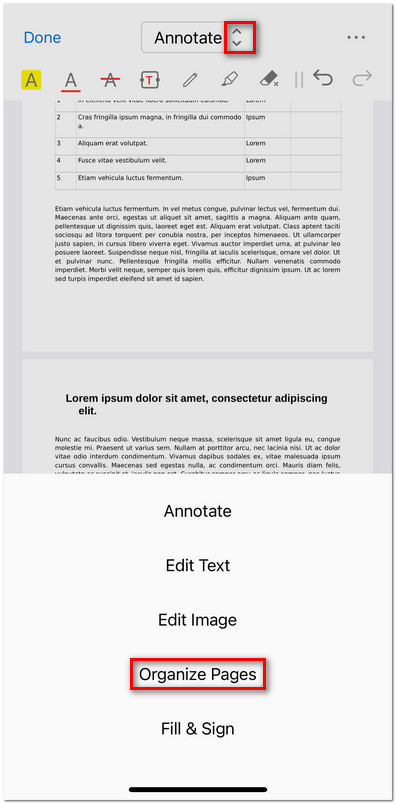
Enter the Organize Pages Mode
- Once inside Organize Pages mode, you’ll see thumbnails of all the pages and a toolbar at the top. From left to right, the tools include:
Add Blank Page: Insert a new blank page into your PDF.
Extract Page: Save selected pages as a new PDF file.
Delete Page: Remove unwanted pages from the document.
Rotate Right: Rotate the selected page(s) 90° clockwise.
Rotate Left: Rotate the selected page(s) 90° counterclockwise.
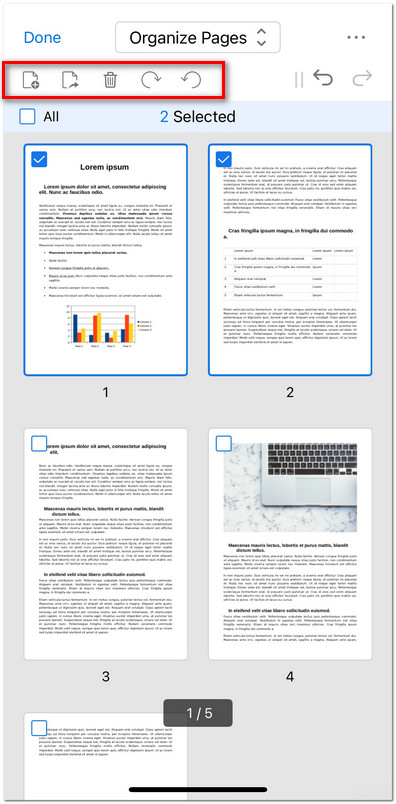
Organize PDF Pages on iOS
- Tap and hold any page thumbnail, then drag it to reorder the sequence.
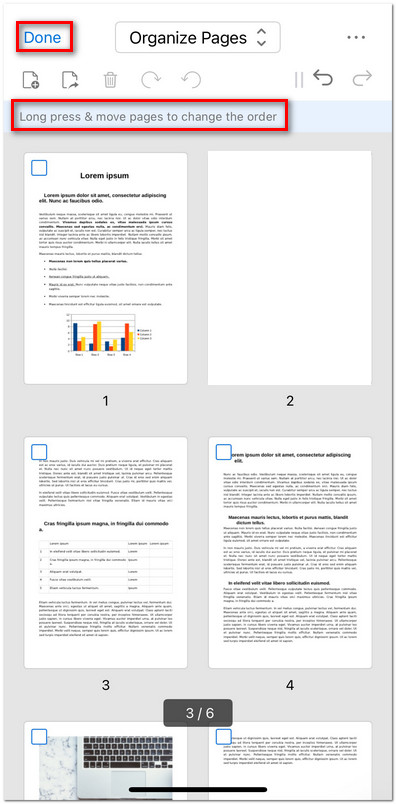
Move Page to Change Order
- After finishing your edits, tap Done in the top-left corner to apply the changes to your PDF.