How to Convert BIN to PDF: Full Guide

Summary :
Learn if it’s possible, and how to convert a .bin file that contains image data, video on DVD, audio on CD, software, or even firmware, into a human-readable PDF document without cost.
Table of Contents
How to Convert BIN to PDF
A BIN file, typically referred to as a binary file, is a non-text file that could be anything from an image to an executable program.
On this page, you’ll find the viable method to actually convert a BIN file to PDF, and without cost.
The Short Answer
Since a BIN file could contain any sort of data, there is no direct way to “convert” a BIN file to a PDF unless the BIN file specifically contains data that can be represented in a PDF format (such as text or images).
If your BIN file contains image data, video on DVD, audio on CD, software, or even firmware, then it’s pointless to convert it into PDF, as the output PDF document will only display gibberish.
✅ However, if your BIN file is a binary representation of a document, then it’s doable to convert it to PDF file format without glitches. Let’s see how to do so.
How to Convert BIN to PDF: Step by Step
As mentioned, prior to starting, you need to first determine what kind of data the BIN file contains. This method only works with BIN files that contain text data.
To convert text-based BIN to PDF, you’ll need a decent PDF converter, and I highly recommend PDFgear. PDFgear is a free-to-use PDF converter software that allows you to create editable PDFs from document and image formats like Microsoft Excel, Microsoft Word, TXT, JPG, PNG, etc.
It also serves as a powerful PDF editor that enables you to edit and delete existing text in the document.
Convert Microsoft Word, Excel, PPT, TXT, JPG, and more to PDF and vice versa for free.
Additionally, in a bid to transform binary text into human-readable text, a binary code translator or a Hex editor is also needed.
Now let’s see how it’s done:
Step 1. Right-click on the .bin file on your computer, and open it with Notepad. If you can’t find it, see inside Choose another app.
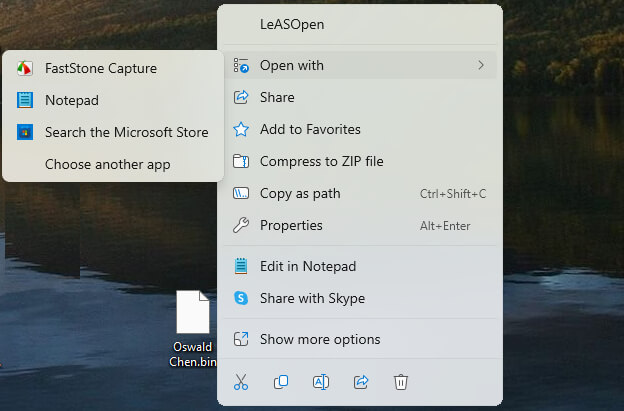
Open BIN in Notepad
Step 2. Use the keyboard shortcuts Ctrl+A and Ctrl + C to copy all the text in the BIN file. Now we need to convert the text into readable text.
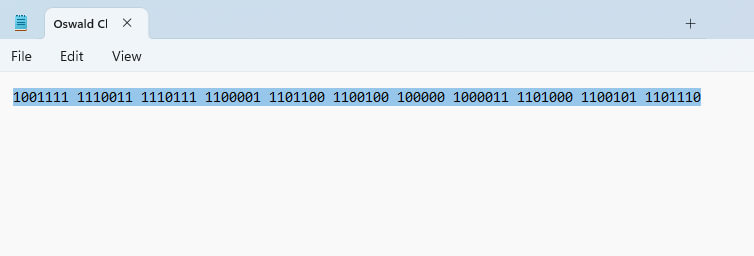
Copy Text in BIN
Step 3. Go to RapidTables binary to text converter, paste in the copied binary numbers to convert it into text, and click Copy.
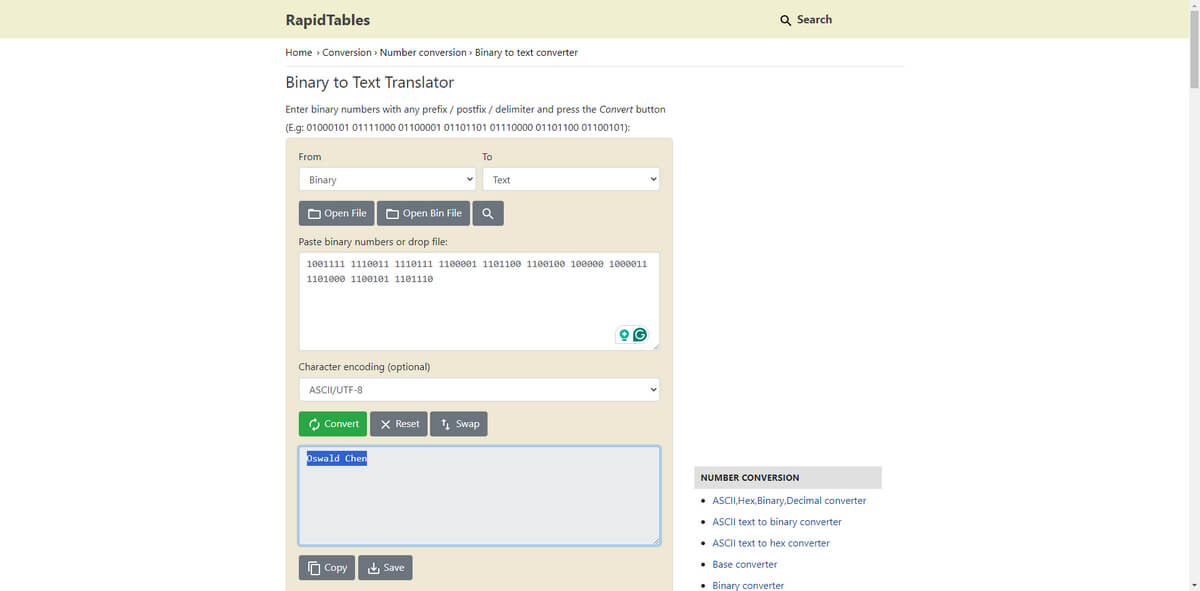
Convert Binary to Text
Step 4. Get back to the Notepad, and use Ctrl + A and Ctrl + V to replace the document with the converted text.
Step 5. In the Save As window, change the file name extension to .txt (without comma), select the Save as type as Text documents (*.txt), and click Save.
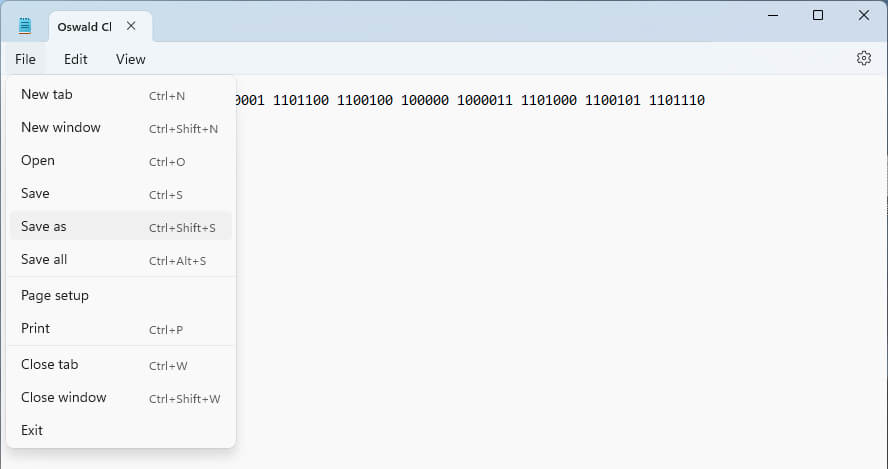
Save BIN as TXT
Step 6. Download and install PDFgear, open it on your computer, go to the Convert to PDF toolbox, and select the TXT to PDF converter tool.
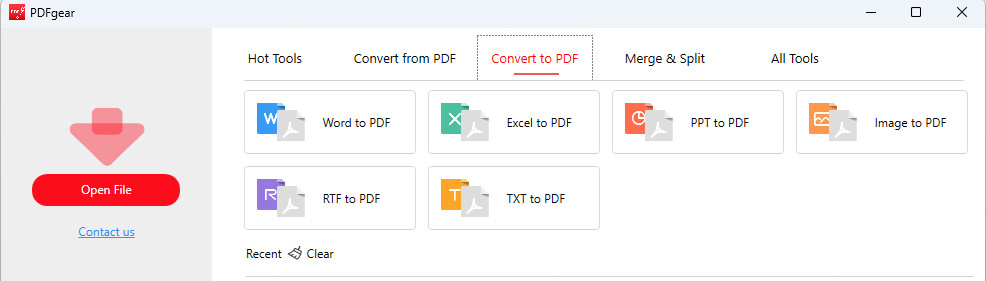
Go to TXT to PDF Converter
Step 7. Click Add Files to import one or more TXT documents, and click Convert to convert them into PDF format.
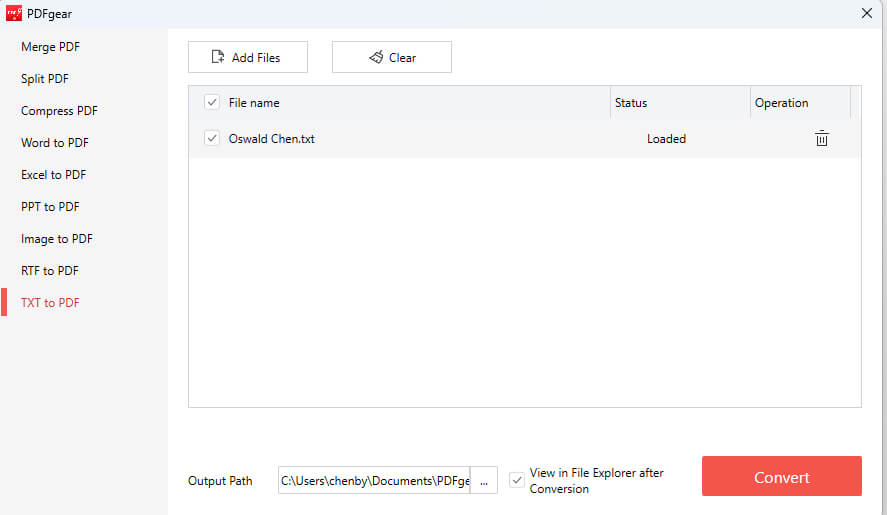
Add TXT File to Converter
Step 8. That’s it! Now you have successfully converted your .bin files to .pdf documents!
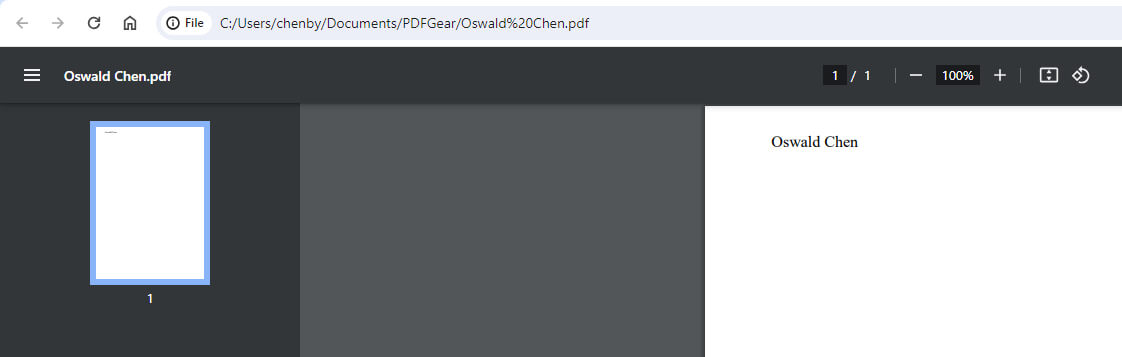
BIN Converted into PDF
Can I Convert BIN to PDF Online?
No, you can’t convert a BIN file to a PDF document online, there isn’t a working tool for this.
Some online services claim to be able to convert BIN files to PDF, however, after our testing, they all fail to do the job.
Considering the nature of BIN files, it requires many manual actions instead of simply throwing it into an online BIN to PDF converter and get the desired output.
Moreover, there are no specific online tools that can convert BIN files directly to PDF because the content of BIN files is not standardized. You would need to extract the content first and then use an online converter for the specific type of file you extracted.
FAQs
What is a BIN file?
A BIN file is a binary file that contains raw data which may be in a proprietary format. It can represent different types of data, including images, audio, video, installation files, and more.
What software can I use to open a BIN file?
The software required to open a BIN file depends on what the BIN file is intended for. If it’s a CD or DVD image, you might use software like Daemon Tools, WinISO, or PowerISO.
How can I convert a BIN file to a PDF if it contains images?
If you manage to extract images from a BIN file, you can use a PDF printer or a document creation tool like PDFgear and Adobe Acrobat or an online converter to convert the images to PDF.
